Delivery Schedule Checker
The Delivery Schedule Checker lets you immediately test the effects of the configuration of your delivery and availability schedules. In the CloudSuite App go to Order Management > Configuration > Delivery Schedule Configuration > Delivery Schedule Checker.
The Delivery Schedule Checker pops up.
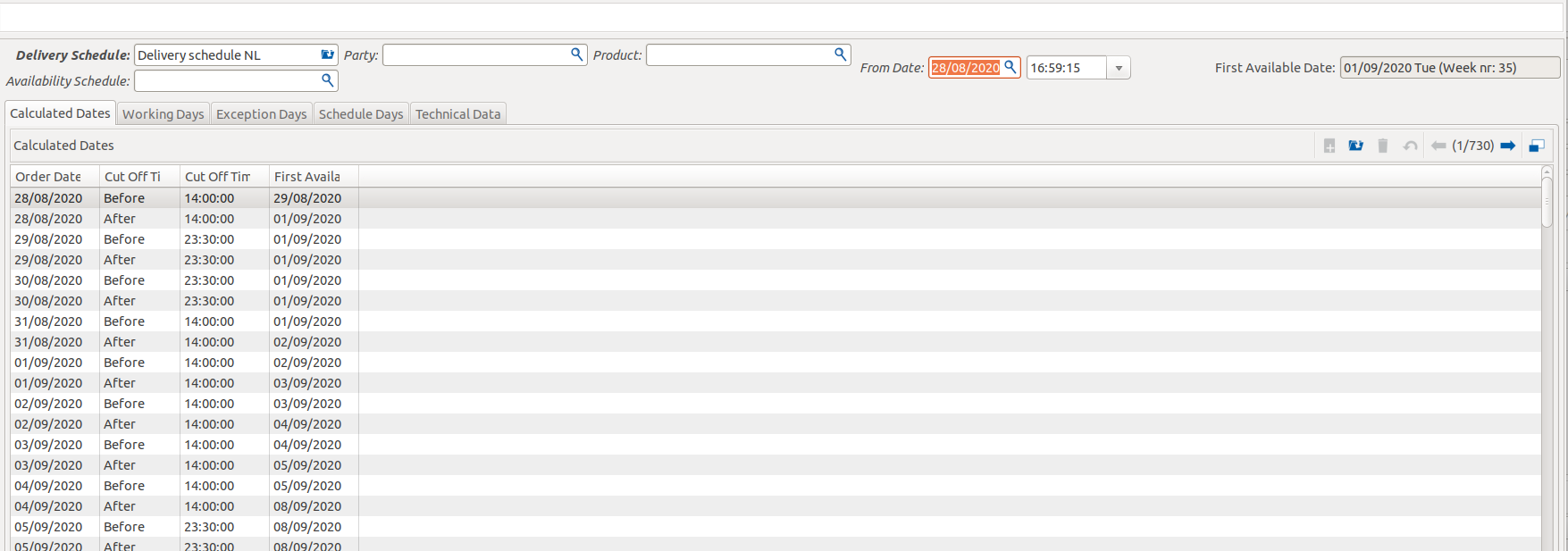
By varying the different fields, you can check events that happened in the past and events that will happen in the future.
- Select the Delivery Schedule to do the calculation with. If the party has a delivery schedule set, this field would be auto-filled.
- Select the Availability Schedule to do the calculation with. If the product has an availability schedule set, this field would be auto-filled.
- Select the Party to retrieve the delivery schedule from.
- Select the Product to retrieve the availability schedule from.
- Set the From Date to the order date to simulate ordering on that specific date.
The delivery schedule is required for making calculations, an availability schedule is not. If you are satisfied with the parameters, you can click Check date to fill First available date.
Multiple tabs are available for additional information, such as the working days and schedule days.