Deactivating or Deleting a Webshop User
Registered users of the webshop can be (temporarily) deactivated, or deleted from the system altogether.
note
It is also possible to block a customer, meaning that the customer can still navigate the shop, but will be stopped from actually placing an order.
Deactivating a Webshop User
- In the CloudSuite App, go to Customers > Users eCommerce > Users and open the user.
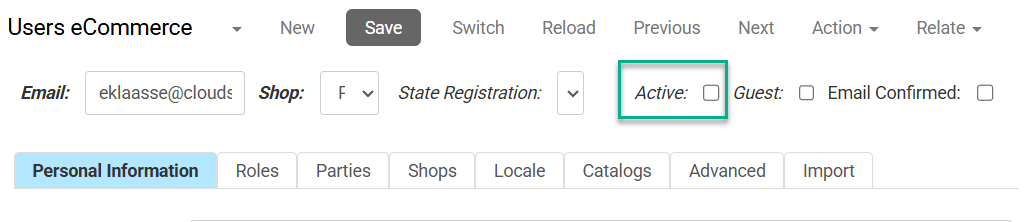
- Edit the details so that the box behind Active is un-checked.
- Optionally, you may remove the customer's personal information. However, the email address, first and last name, and password are mandatory and cannot be removed.
- Click Save.
Deleting a Webshop User
When you delete an account, this is permanent. It is not possible to undo the deletion of a webshop user. Also, when a customer is permanently deleted, there is a chance that related data such as the customer's order history will disappear. We do not recommend deleting accounts: consider deactivating the customer instead, as described earlier.
- In the CloudSuite App, go to Customers > Users eCommerce > Users and open the user.
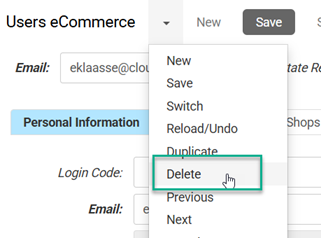
- From the drop-down menu, select Delete.
- Confirm the deletion by clicking OK.